 ENShot
Turn clicks into a how-to guide
Press ⌃⌥R and do the task once. Every click becomes a numbered step with a screenshot and a marker where you clicked.
macOS 14 Sonoma or later · Apple silicon & Intel
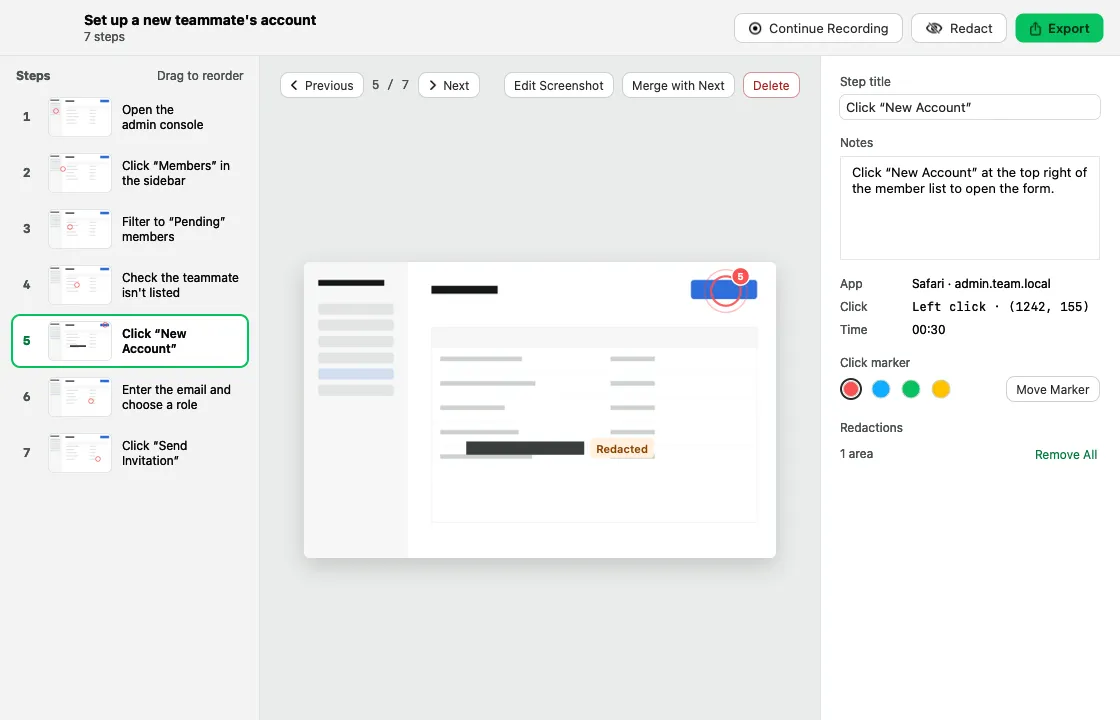
Automatic steps
Each click is captured and titled after the element you clicked (with Accessibility permission).
Edit freely
Drag to reorder, merge, delete, move markers, change marker colors and add notes.
Redact
Cover sensitive areas before you share.
Export
HTML, Markdown or PDF.
Privacy by design
Only clicks and screen images are recorded — never typed text.
Turn clicks into a how-to guide
- Press ⌃⌥R.
- Click through the task; the pill shows time and step count.
- Finish, then edit titles, notes and redactions.
- Export as HTML, Markdown or PDF.
Frequently asked questions
Does the step recorder capture what I type?
No. It records clicks and screen images only, never typed text.
How many steps can one guide have?
Up to 200 steps or 256 MB per guide.
More features
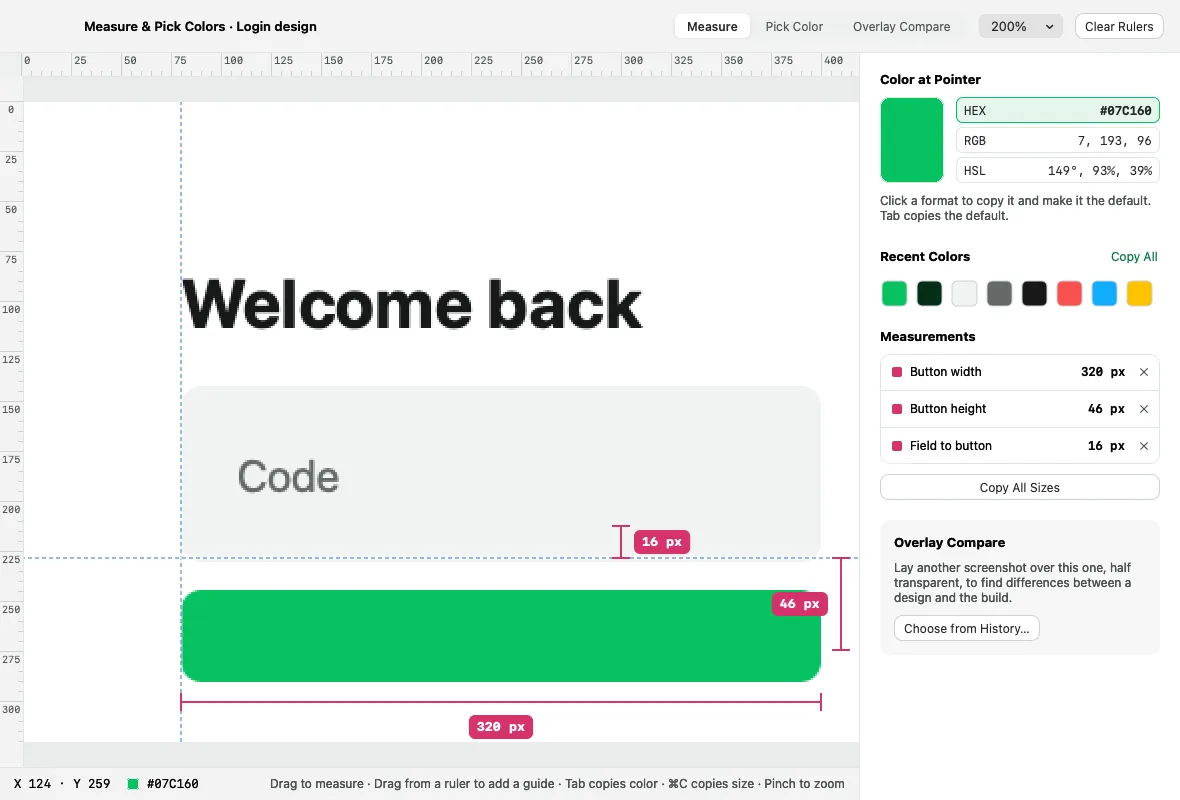
Pins & pixel inspector
Float captures above your windows, and measure, pick colors and compare designs in physical pixels.
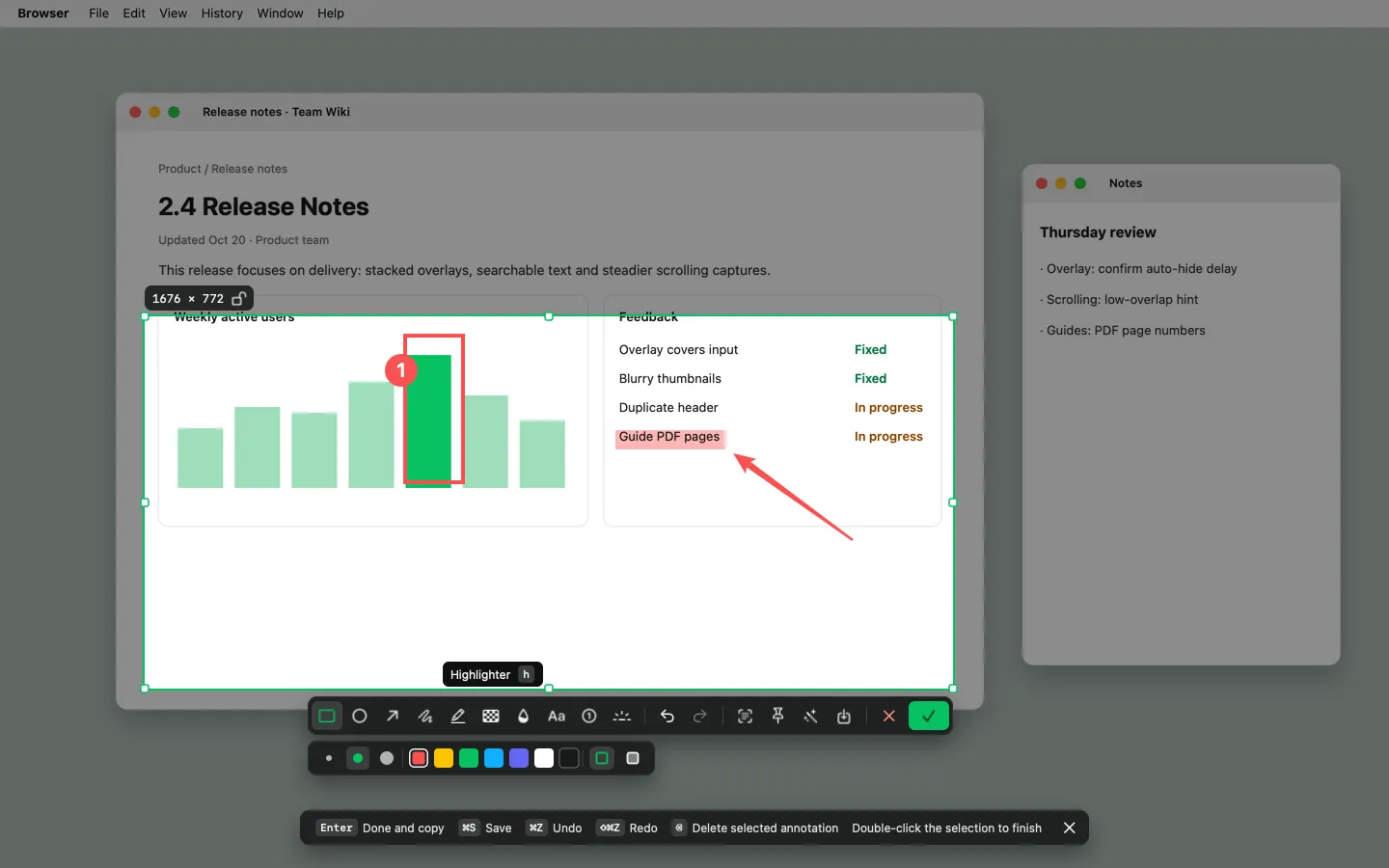
Screenshot & annotate
Area, window and full-screen capture with 10 annotation tools, an editor and one-click beautify.
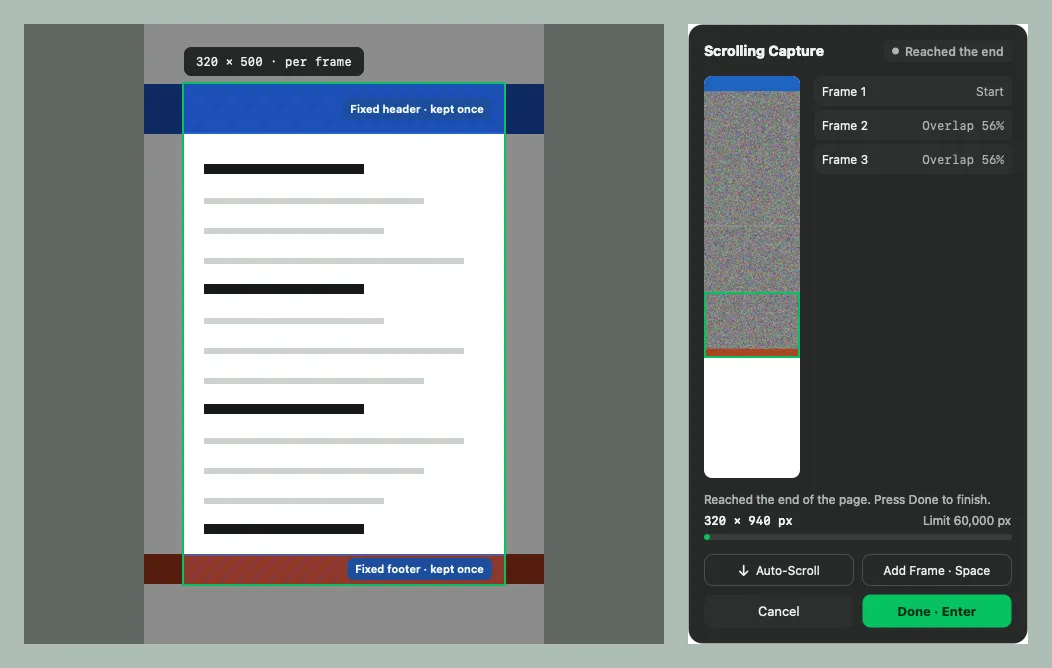
Scrolling capture
Stitch long pages, chats and documents into one tall image — scroll yourself or let ENShot scroll.