 ENShot
Scrolling screenshots of anything that scrolls
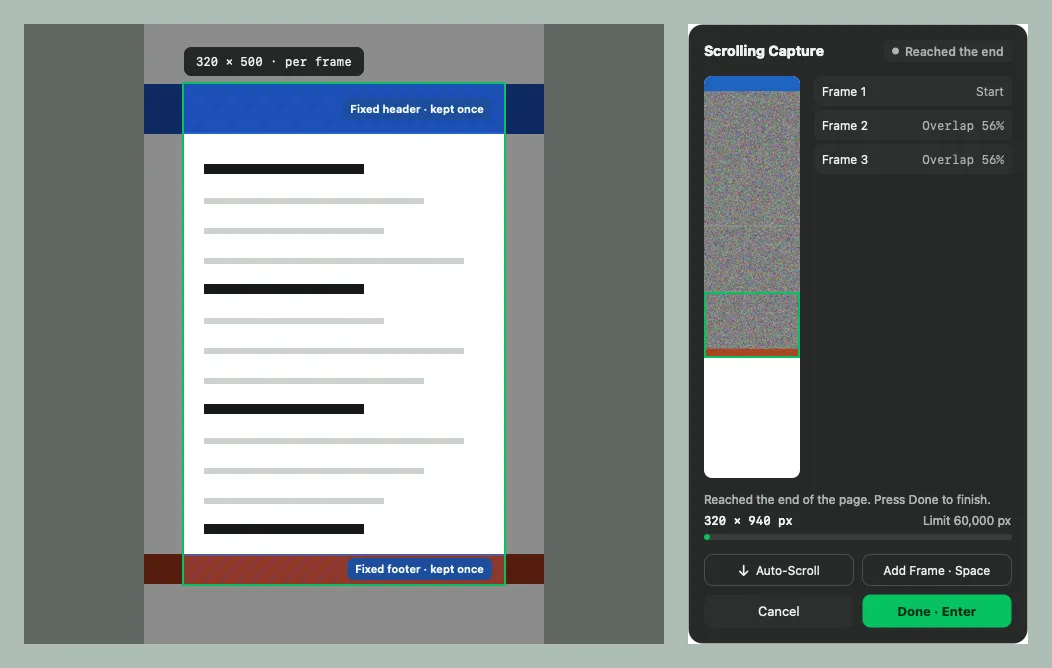
Select the scrolling area, then scroll — or press Auto-Scroll. A live preview shows the stitched result, frame by frame.
macOS 14 Sonoma or later · Apple silicon & Intel
Live preview
See the stitched image, the overlap of each frame and progress toward the 60,000 px limit.
Automatic scrolling
ENShot can scroll the page for you until it reaches the end (needs Accessibility permission).
Sticky bars kept once
Fixed headers and footers appear once in the final image instead of in every frame.
Honest matching
When a frame can't be matched reliably, ENShot asks you to retake it or set the overlap by hand.
Keyboard control
Space adds a frame, Return finishes, Esc cancels.
Scrolling screenshots of anything that scrolls
- Press ⌃⌥S.
- Select the part of the window that scrolls.
- Scroll, press Space for each frame, or click Auto-Scroll.
- Press Return to finish and edit or copy the long image.
Frequently asked questions
How long can a scrolling screenshot be?
Up to 60,000 pixels tall and 100 million pixels in total.
Why did a frame fail to match?
Animated content, repeating patterns or too little overlap can make frames ambiguous. ENShot tells you and lets you retake the frame or set the overlap manually.
More features
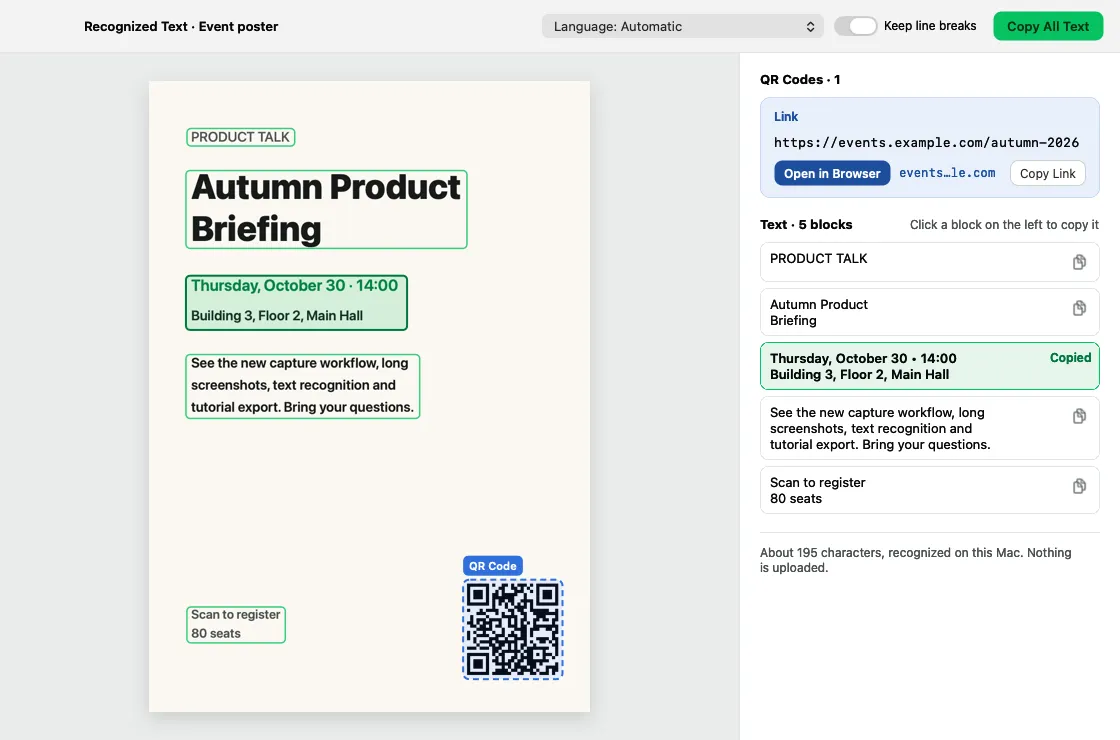
OCR & QR codes
Recognize text and QR codes on-device, copy any block, and search history by the words inside images.
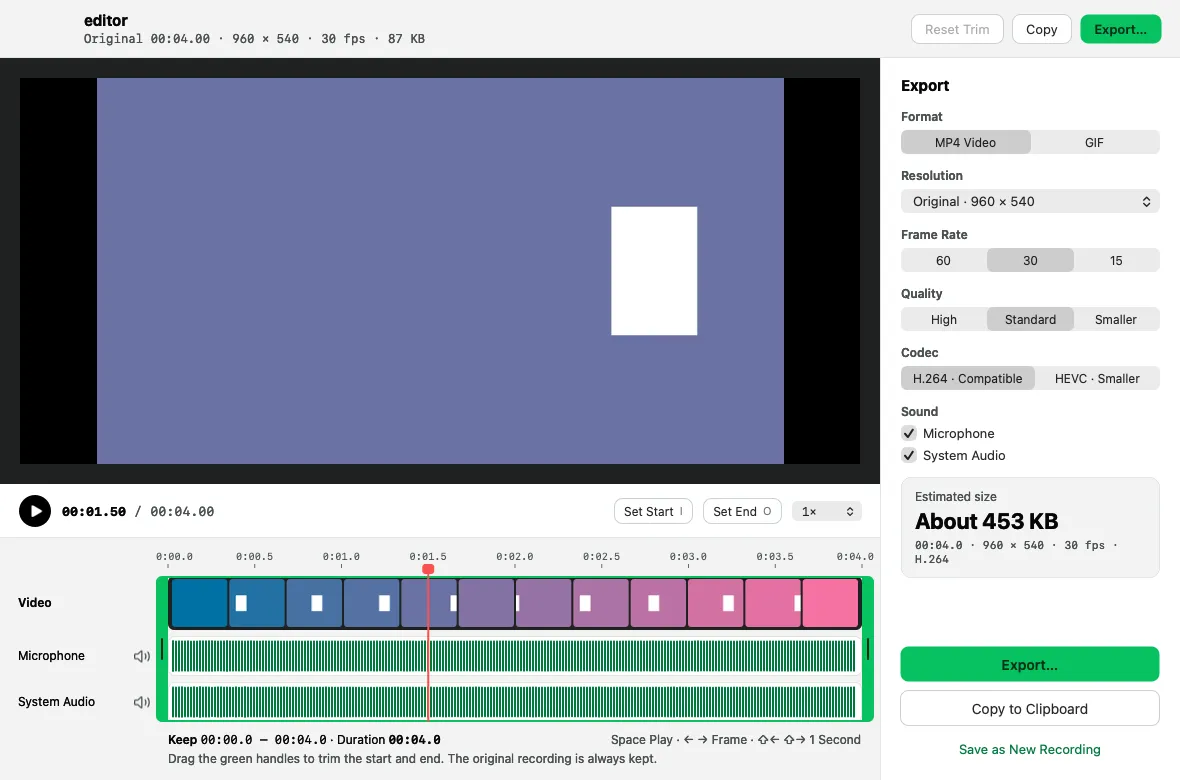
Screen recording & GIF
Record MP4 or GIF with microphone, system audio, camera, clicks and keystrokes, then trim and export.
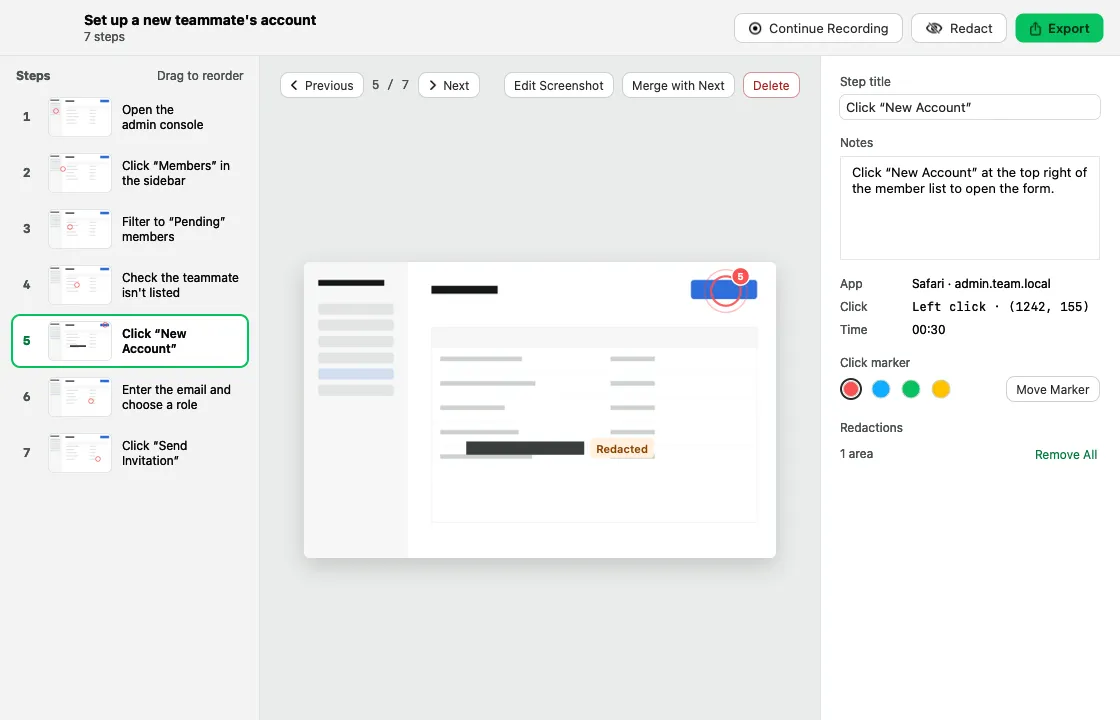
Step-by-step guides
Click through a task and get a numbered guide with screenshots, ready to export as HTML, Markdown or PDF.