 ENShot
A screen recorder that stays out of the way
Press ⌃⌥M, choose an area, a window or the whole screen, and set up the recording in the bar under the selection. Press Return to start.
macOS 14 Sonoma or later · Apple silicon & Intel
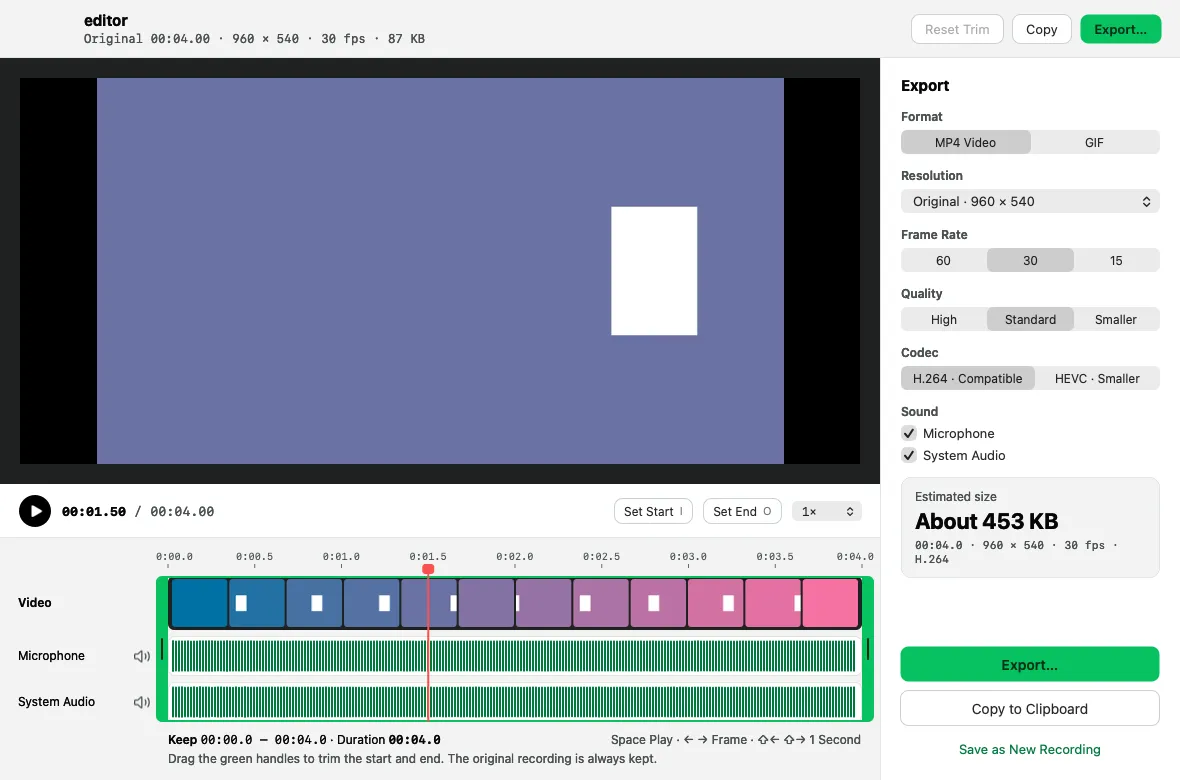

MP4 or GIF
H.264 for compatibility or HEVC for smaller files, at 30 or 60 fps. GIFs up to 30 seconds and 1280 px wide.
Sound
Microphone and system audio, recorded on separate tracks so you can mute either one later.
Camera bubble
Show your camera as a circle or rounded rectangle in three sizes; drag it anywhere.
Clicks & keys
Click rings and a keystroke display — shortcuts only by default, never while secure input is on.
Control pill
Elapsed time, pause, restart, discard and stop. The menu bar shows the time; click it to stop.
Trim & export
Set start and end, mute tracks, change resolution, frame rate and codec, and see the estimated size before you export.
Recovery
Recordings are written in fragments, so an unfinished recording can be recovered after a crash.
A screen recorder that stays out of the way
- Press ⌃⌥M.
- Select an area, click a window or press F for full screen.
- Choose MP4 or GIF, sound, camera, clicks and keys, then press Return.
- Stop with ⌃⌥M again, then copy, save, trim or convert to GIF.
Frequently asked questions
Can ENShot record system audio on a Mac?
Yes. ENShot records system audio through ScreenCaptureKit, plus your microphone on a separate track. No extra audio driver is required.
How long can a GIF be?
GIF recordings stop automatically at 30 seconds. Longer MP4 recordings can be trimmed to 30 seconds or less and exported as GIF.
Are keystrokes recorded while I type passwords?
No. The keystroke display turns off whenever macOS secure input is active, and by default it only shows shortcuts with ⌘, ⌥ or ⌃.
Is there a time limit or watermark?
No watermark. MP4 recordings run until you stop them; ENShot stops automatically only if free disk space drops below 1 GB or the display disconnects, keeping everything recorded so far.
More features
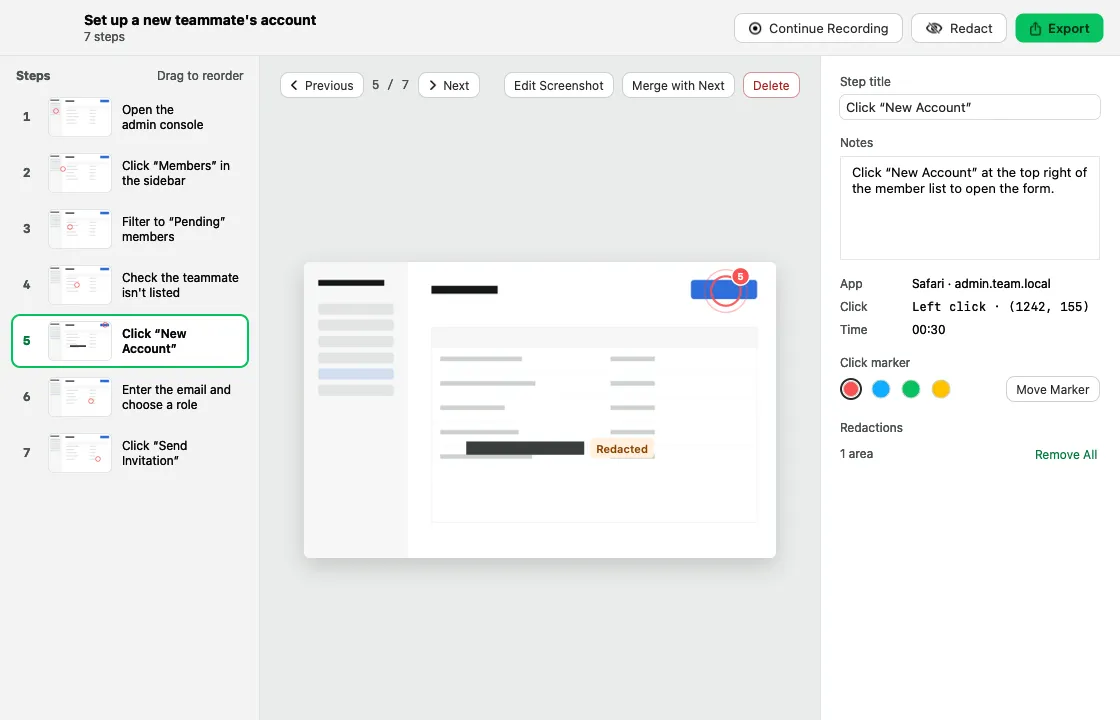
Step-by-step guides
Click through a task and get a numbered guide with screenshots, ready to export as HTML, Markdown or PDF.
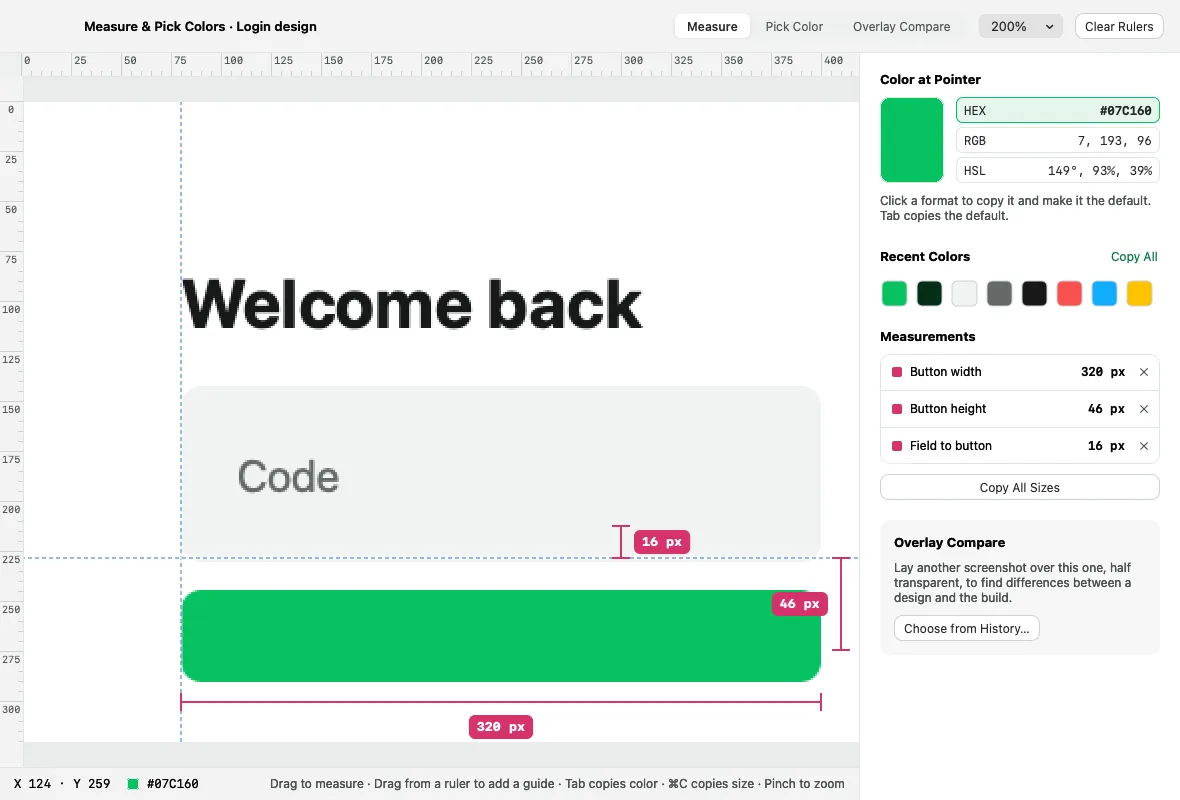
Pins & pixel inspector
Float captures above your windows, and measure, pick colors and compare designs in physical pixels.
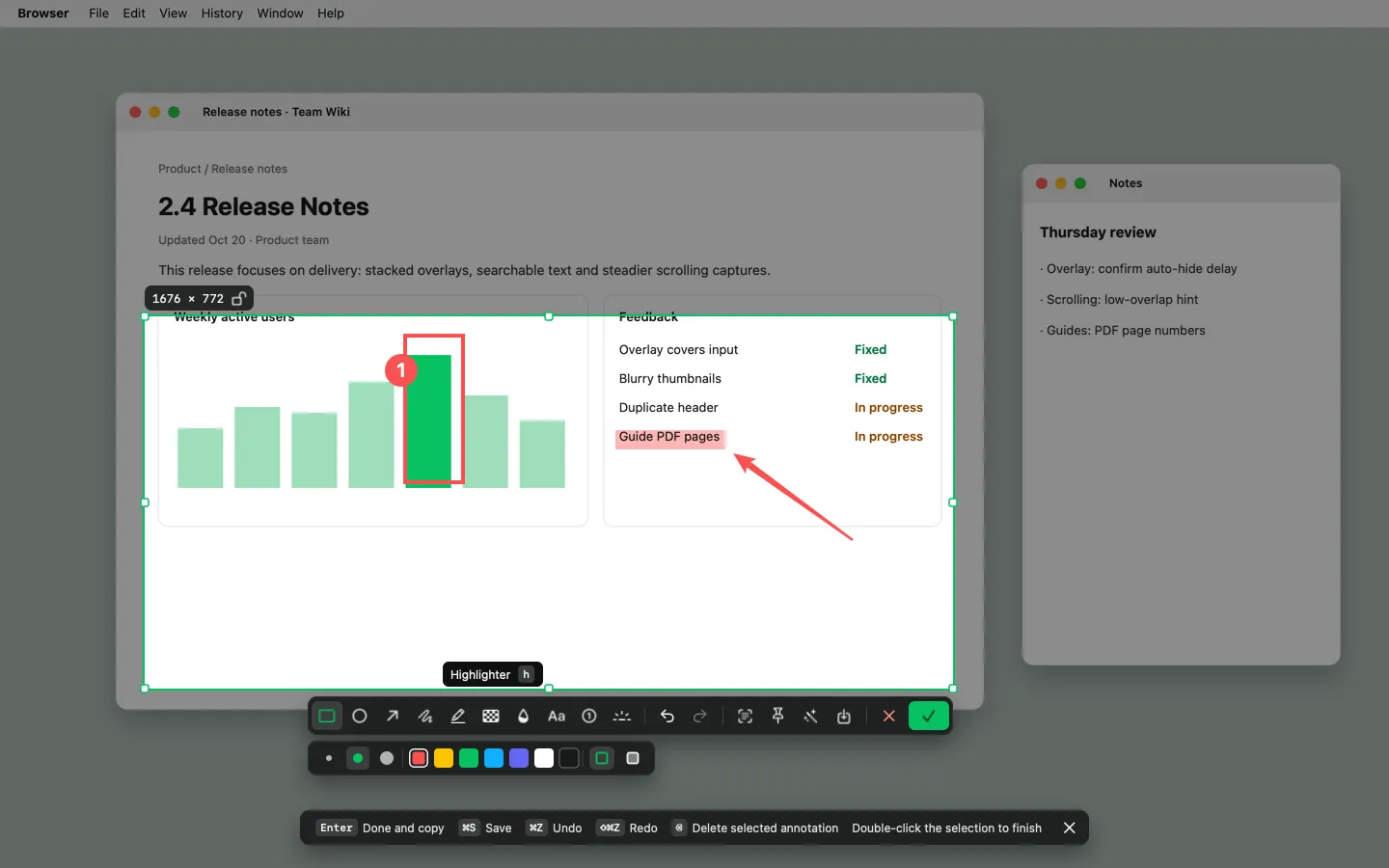
Screenshot & annotate
Area, window and full-screen capture with 10 annotation tools, an editor and one-click beautify.